The Rise of Virtual Concerts: How Artists Use Live-Streaming
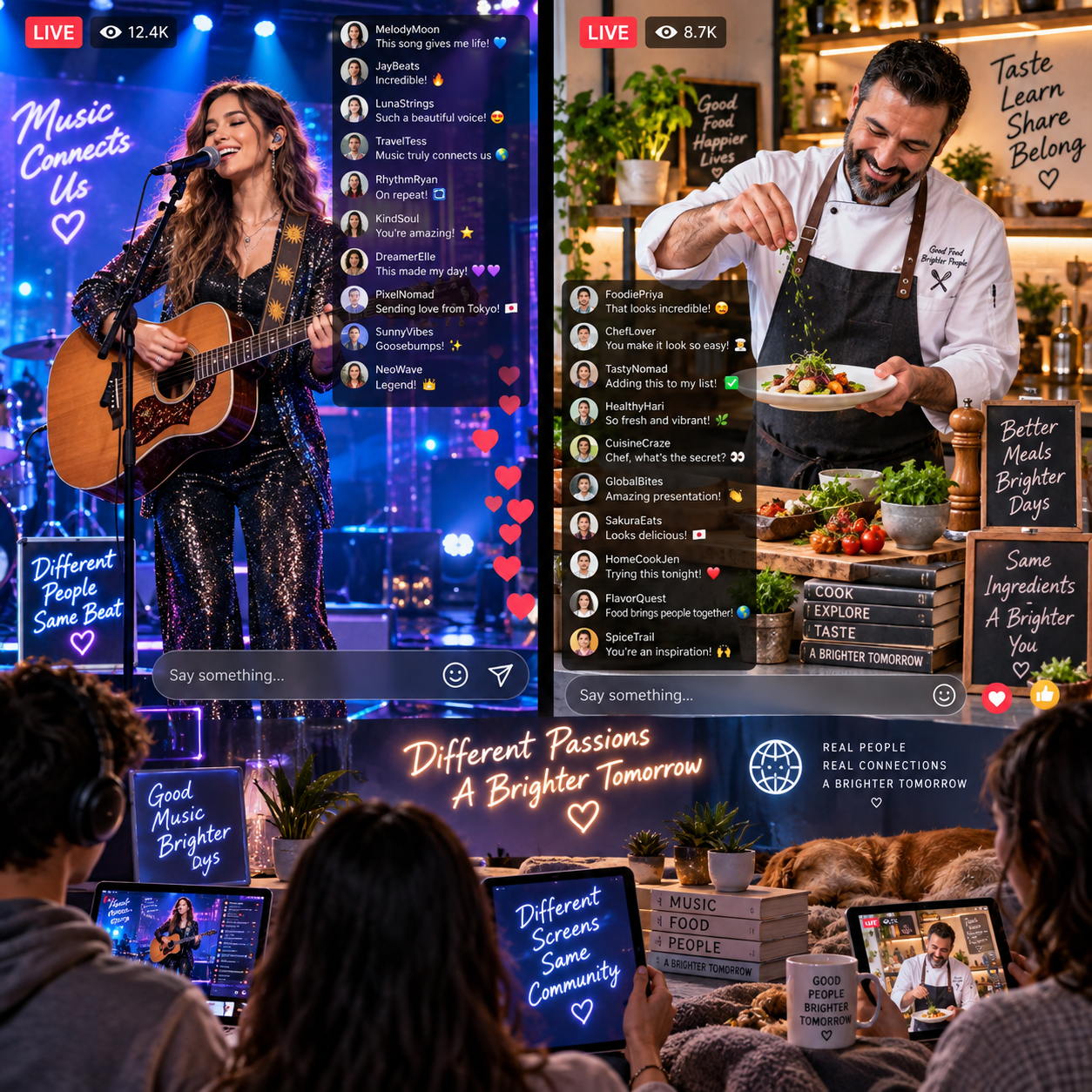
Virtual concerts have changed how musicians and artists perform for online audiences. Instead of relying entirely on a physical venue, an artist can broadcast a live performance to viewers at home, respond to comments in real time, and build a digital event around participation.
The same principles are valuable beyond music. Food live streaming uses similar techniques when chefs cook, diners taste, and hosts invite viewers to influence what happens next. In both formats, the strongest experiences feel immediate, personal, and communal rather than like ordinary prerecorded video.
What Are Virtual Concerts?
Virtual concerts are live musical performances delivered through the internet to an online audience in real time. They combine a musician’s performance with live-streaming technology, digital access, and interactive features that make viewers feel involved.
A virtual concert may take place in a living room, professional studio, rehearsal space, outdoor location, or purpose-built virtual venue. Viewers watch through live-streaming platforms while cameras, microphones, encoding software, and internet connections deliver the event to their screens.
That real-time element separates a virtual concert from a music video or recorded concert film. The audience can send messages while a song is being performed, request an encore, react to a guest appearance, or join a virtual meet-and-greet after the show. The artist may acknowledge those responses immediately.
Production styles vary. Some musicians broadcast a simple acoustic set from home. Others use multiple cameras, lighting design, visual effects, remote collaborators, ticketed access, and a scheduled program that resembles a traditional concert. A digital ticket can provide entry to a single event, while a subscription may offer recurring performances and exclusive content.
Why Artists Are Turning to Live-Streaming
Artists use live-streaming because it expands reach, lowers geographic barriers, and creates a direct channel to online audiences. A performance can reach fans who live far from a venue, cannot travel, or prefer watching from home.
Access is one of the clearest advantages. A physical concert has limits based on venue capacity, local demand, transport, and scheduling. A livestream can welcome viewers from different cities and countries at the same scheduled time, although bandwidth, time zones, and platform availability still create practical constraints.
Live-streaming also gives musicians more control over the format. An artist might present a short lunchtime set, a long-form album performance, a rehearsal with commentary, or a themed show built around audience requests. The virtual venue can be designed for the content instead of forcing the content into a conventional stage layout.
Direct communication matters just as much. Chat, polls, social comments, and community spaces allow artists to learn what their audiences want. A singer can explain the story behind a song, while a band can test a new arrangement with its most engaged supporters. Choosing broader reach means accepting that the artist must work harder to hold attention on smaller screens, where distractions are always close.
How Virtual Concerts Create Interactive Experiences
Virtual concerts create interaction by giving viewers clear ways to respond, influence the program, and access moments beyond the performance itself. Live chat is the foundation, but effective audience engagement usually combines several participation tools.
- Live requests: Viewers can suggest songs, encores, or topics for between-song discussion.
- Polls: Audiences can choose a set-list order, guest appearance, or encore option.
- Behind-the-scenes content: Camera changes, sound checks, wardrobe preparation, and rehearsal footage add context.
- Virtual meet-and-greets: Selected ticket holders can join a moderated video session after the show.
- Exclusive rooms: Subscribers or premium ticket holders may receive access to a private chat or post-concert session.
Interaction works best when viewers understand how to participate. A host can announce a request window, explain a poll, and repeat selected comments aloud. Without that structure, chat can move too quickly to feel personal, while technical interruptions can make the event feel passive.
The approach has a close parallel in food live streaming. A chef might ask viewers to select between two sauces, vote on a garnish, submit questions during a cooking demonstration, or join a live tasting session. The audience is not simply watching food being prepared; it is helping shape the experience.
How Artists Monetize Virtual Concerts
Artists monetize virtual concerts through digital tickets, subscriptions, donations, sponsorships, premium access, and related merchandise. A strong model matches the payment option to the value and effort involved in each event.
Digital tickets provide straightforward access to a scheduled performance. Artists can also offer tiered packages, such as general admission, a replay period, backstage content, or a virtual meet-and-greet. Subscriptions and memberships support recurring programming when an artist can deliver regular shows or exclusive community benefits.
Additional options include:
- Voluntary tips and donations during or after the livestream.
- Brand sponsorships that fit the artist and audience.
- Limited digital access to rehearsals, sound checks, or post-show conversations.
- Physical merchandise promoted during the event.
- Bundled offers combining admission with an album, poster, or signed item.
Monetization should remain transparent. Viewers need to know what a ticket includes, whether a replay is available, and how long exclusive access lasts. Sponsorship can offset production costs, but an intrusive promotion may weaken trust. Similarly, premium features can increase revenue while making free viewers feel excluded, so creators should decide which parts of the event remain open to everyone.
Food creators can apply the same structure with paid cooking workshops, chef-led tasting sessions, ingredient boxes, memberships, sponsored kitchen tools, and merchandise. They should explain whether viewers need to buy ingredients separately and whether recipes or replays are included.
Lessons for Food Live-Streaming Creators
Food live-streaming creators can borrow the concert model by treating cooking and dining as scheduled, participatory events rather than ordinary demonstrations. The goal is to give viewers a reason to arrive at a specific time and a role to play once they join.
An interactive cooking show might begin with a short introduction, move into preparation, pause for audience questions, and end with a tasting or plating decision. A chef could let viewers vote on two finishing sauces, ask them to compare textures, or invite home cooks to share their results in the chat.
Dining content offers other possibilities. A restaurant can host a live tasting session in which a chef explains each course while viewers follow along with a delivered meal. A food brand can stage a product launch with a recipe demonstration, audience poll, and limited-time offer. A culinary educator can combine a live lesson with downloadable preparation notes.
The concert analogy also highlights pacing. Musicians vary songs, stories, visuals, and audience moments to avoid a flat performance. Food creators need similar changes in rhythm: overhead cooking shots, close-ups of texture, host commentary, ingredient questions, and a final reveal.
There are limits. A dish may take longer than expected, camera angles can hide important steps, and viewers cannot smell or taste the food through a screen. Clear explanations, strong close-up visuals, and realistic preparation times help close that sensory gap.
Planning a Successful Live-Streamed Experience
To plan a successful live-streamed experience, define the audience promise, rehearse the production, design participation points, and make the next action obvious. A simple event plan prevents technical details from overwhelming the content.
1. Build a clear program
Write a running order with an opening hook, main performance or demonstration, interaction segments, and a closing call to action. For a food livestream, list ingredients and preparation stages. For a concert, mark song transitions, guest appearances, and request periods.
2. Protect sound and visuals
Audio often determines whether viewers stay. Use a suitable microphone, monitor levels, and test background noise. Food creators should add an overhead or close-up camera so chopping, mixing, plating, and texture remain visible. Musicians may need separate camera angles for the performer, instruments, and wider stage view.
3. Assign audience and technical roles
A moderator can welcome viewers, organize questions, remove disruptive comments, and highlight useful responses. A producer can monitor the stream, switch scenes, and handle technical problems. One person can fill both roles for a small event, but a second helper reduces pressure.
4. Rehearse the weak points
Test the internet connection, lighting, audio, camera framing, payment links, and backup plan. Run through the first five minutes carefully because early confusion can cause viewers to leave. Keep a short technical checklist nearby rather than relying on memory.
5. Close with a specific action
Tell viewers what to do next: buy a ticket, join a subscription, download a recipe, order a tasting box, follow the next event, or share feedback. A clear call to action is more useful than a general request to support the creator.
The Future of Live Experiences Online
The future of online live experiences will combine performance, participation, and community across music, food, and other creative fields. Virtual venues will continue to evolve, but compelling programming will remain more important than technical novelty.
Musicians and chefs may collaborate on hybrid events that pair a live set with a guided meal, tasting menu, or themed recipe. A virtual concert could include an optional food kit, while a culinary livestream could feature original music and audience-controlled moments. These formats create several layers of engagement without requiring every viewer to participate in the same way.
Creators should still plan for practical challenges. Livestreams can suffer from connection failures, delayed comments, uneven audio, camera fatigue, and audience drop-off. A polished event needs contingency plans, accessible pricing, moderation, and content that remains worthwhile even when viewers watch without interacting.
The central lesson is simple: live-streaming works when viewers feel present. Whether the screen shows a guitarist performing an encore or a chef plating a dish, real-time attention, thoughtful interaction, and a clear sense of occasion turn a broadcast into an experience.
Frequently Asked Questions
What is a virtual concert?
A virtual concert is a live musical performance broadcast online so viewers can watch and interact in real time through a live-streaming platform.
How do artists make money from virtual concerts?
Artists may use digital tickets, subscriptions, memberships, donations, sponsorships, premium access, merchandise, and event bundles.
Which interactive features work well in a live-streamed event?
Live chat, polls, audience requests, Q&A sessions, behind-the-scenes segments, virtual meet-and-greets, and exclusive post-event rooms can all encourage participation.
How can food creators apply virtual concert ideas to cooking livestreams?
Food creators can schedule interactive cooking shows, invite ingredient or garnish votes, host live tastings, answer questions during preparation, and offer paid workshops or tasting experiences.
What equipment is useful for a professional livestream?
A reliable internet connection, quality microphone, suitable camera, stable lighting, headphones, streaming software, and a backup recording or communication method form a practical starting setup. Food creators often benefit from a second overhead camera, while musicians may need audio interfaces and instrument microphones.